

Why We Built It
A lot of people write themselves a to-do list each morning. It’s a good habit. The problem comes over time: not everything gets done in a day, the list carries over, and slowly it shifts from a tool that helps you focus into a record of everything you haven’t done yet. Open it on a bad week and it’s crushing.
The opposite problem is paralysis by choice – a blank slate with nothing to guide you, too many options, and a brain that can’t decide where to start.
Most productivity tools solve one of these problems or neither. They’re designed for a particular kind of organised, linear thinker – and if that’s not your natural cognitive style, the tool adds friction instead of removing it. MorningBoard was built to find the balance between those two failure modes.
How It Works
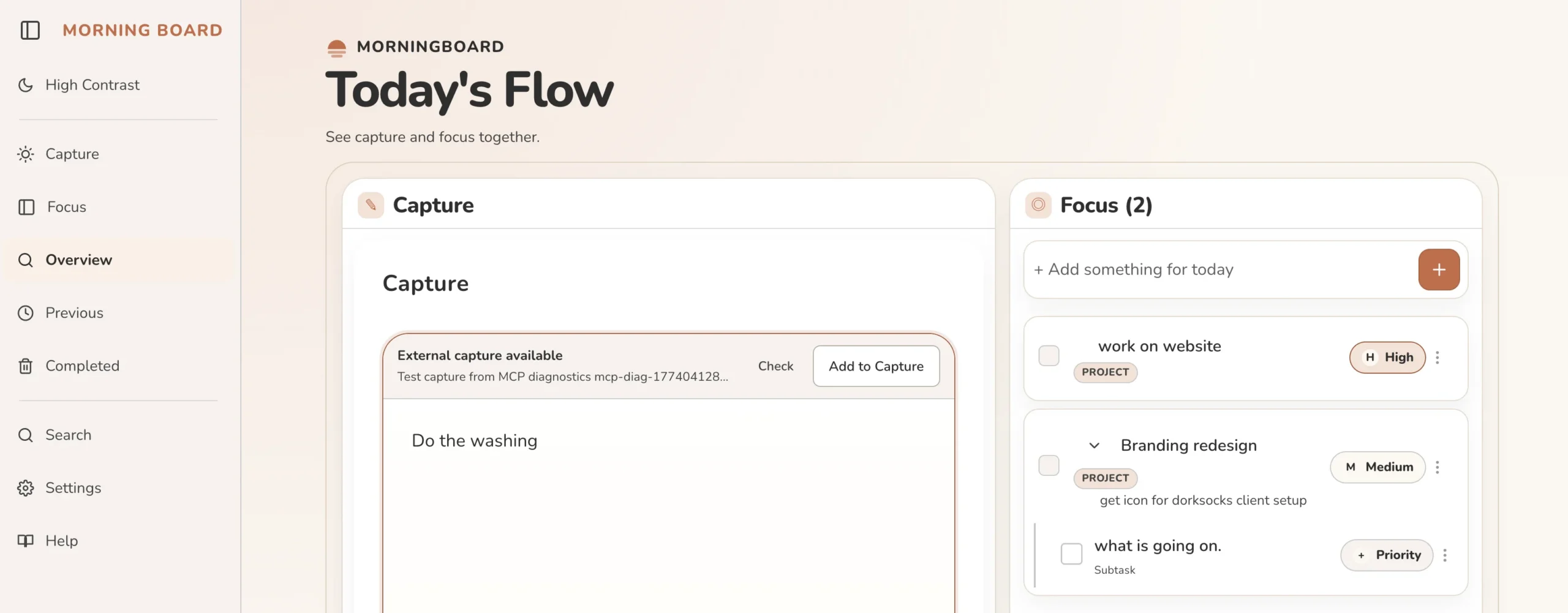
MorningBoard is built around two modes: Capture and Focus. You can work in each separately, or see them side by side – whatever suits how your brain is working today.
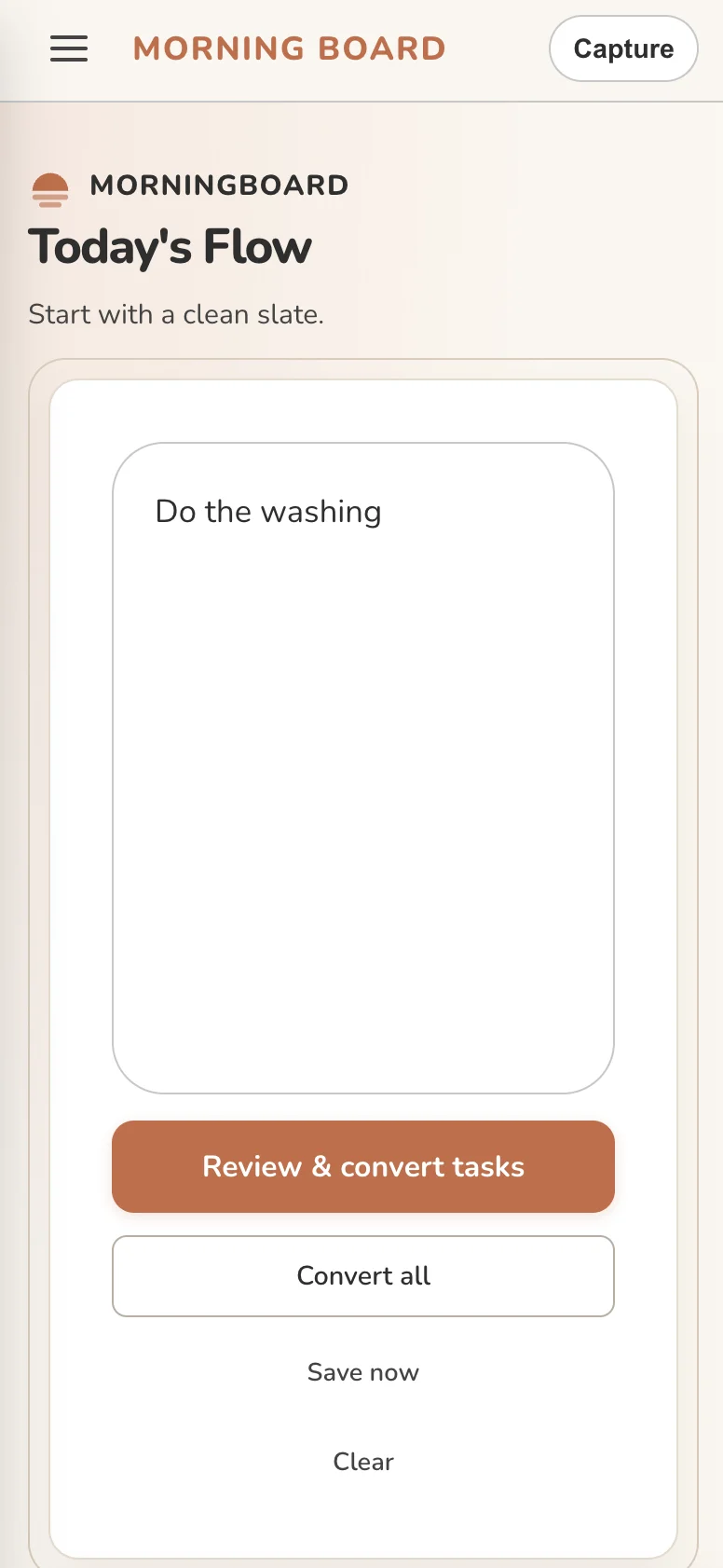
Capture is the most important part. There are no guardrails – no categories, no priorities, no required format. Write anything, in whatever order it comes to you. Half-formed thoughts, urgent tasks, things you don’t want to forget, ideas for next week – it all goes in the same place. The point is to get it out of your head without the friction of organising it first.
Focus is your curated view for today. Once you’re ready, you review your captures and decide what actually makes the list. Short and deliberate – not your entire backlog, just what you’re committing to today.
Every morning, MorningBoard starts fresh. Yesterday’s unfinished items don’t reappear automatically – they’re there when you choose to review them, but they’re not the first thing you see. Nothing is deleted. The fresh start is a design decision, not data loss: today is a new opportunity, not a continuation of yesterday’s unfinished business.
The Design Thinking Behind It
Most task managers are built around completion. Productivity culture rewards checking boxes and treats anything left undone as a failure. MorningBoard is built around intention instead – the act of deciding what matters today, without the weight of everything that didn’t happen yesterday.
A few principles that shaped it:
- Neuroaffirming by design. Built to support a wide range of cognitive styles – people who think non-linearly, struggle with prioritisation, experience decision paralysis, or find that high-structure tools create more anxiety than clarity. No judgement baked in. No system to maintain perfectly.
- Capture without commitment. Dumping a thought into the app doesn’t mean you’ve committed to doing it today. The two modes are intentionally separate – the act of getting something out of your head is different from the act of deciding what to work on. Both deserve their own space.
- No guilt architecture. Unfinished items from previous days are hidden by default. They’re accessible when you choose to review them, but the app doesn’t open with a wall of things you haven’t done. That’s intentional.
- Accessibility from the foundation up. WCAG 2.1 AA compliance, keyboard navigation, high contrast mode, and screen reader support are not afterthoughts. This is a TTC product – accessibility is how it was built, not something added at the end.
Who It’s Built For
MorningBoard was built for people who write a to-do list every morning and still feel behind by lunch. For people who open a task manager, feel immediately overwhelmed, and close it again. For people whose thinking doesn’t fit neatly into folders and priority matrices.
- People who think non-linearly and find rigid systems exhausting
- Anyone who experiences decision paralysis when facing a blank page
- Neurodiverse individuals who need a different relationship with their to-do list
- Support workers, educators, and carers who need lightweight daily structure
You don’t need a label to belong here. If either of those sounds familiar, it was built for you.
Where It’s At
MorningBoard is in early access. It’s live, it works, and real people are using it daily. It’s also still being shaped – by how it gets used, by feedback from the community, and by the kinds of problems people bring to it.
It’s free to use right now. That will change as the product matures, but early users will always be looked after. If you try it and have thoughts, the feedback link is right there in the app.
Try It
Free during early access. Works on any device. No install required.